


Product
Backoffice & reporting
Review sales, transactions, payment methods and key operational indicators in one place.
What you can do
A daily view of performance without combining reports by hand.
Backoffice organises activity from across Bibeno into reports that show what happened and where to look next.
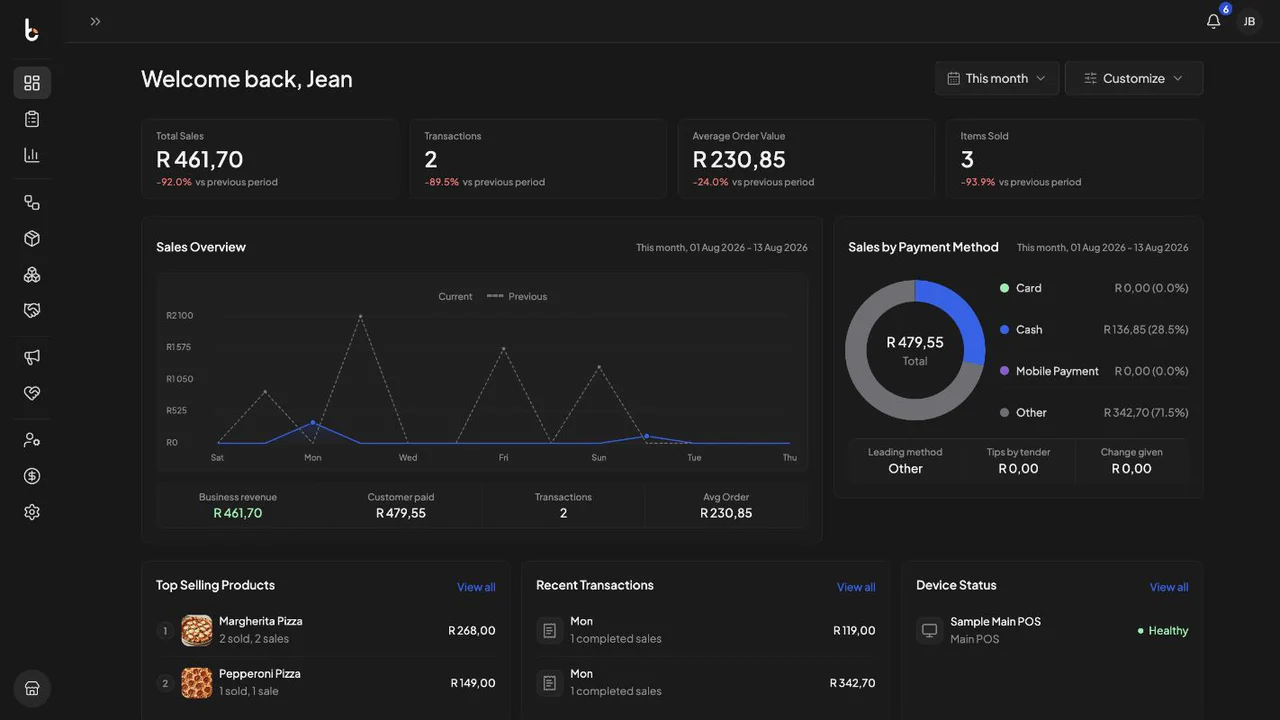
Review the daily result
See total sales, transaction volume, average order value and items sold together.
Understand the mix
Review sales trends and payment-method activity for the selected period.
See what needs attention
Use operational indicators to identify areas that may need a closer look.
Reporting workflow
Use the day’s numbers to decide what to do next.
The dashboard gives the team a consistent way to review performance and open the relevant report for more detail.
-
01
Choose the period
Set the reporting window that matches the question you want the data to answer.
-
02
Read the pattern
Review the headline result, trend and supporting breakdowns together.
-
03
Follow what needs attention
Move from the dashboard signal into the relevant part of the operation for a closer look.
