

Kitchen & recipes
From the recipe
to the rush.
Bring recipe templates, ingredients, selling options and preparation routing into one connected food-service workflow.

Kitchen & Recipe Operations is an optional module. Kitchen-display software capacity and physical equipment are separate. Manufacturing workflows require activation approval and setup.
Connect the preparation
The details that
make the difference.
- 01
Start with what goes into it
Define recipe templates, ingredients and units, then connect recipes to the products your team sells.
- 02
Keep the options connected
Use modifiers and combos to represent the way you serve. Configure supported ingredient changes rather than keeping a separate recipe list.
- 03
Give preparation a destination
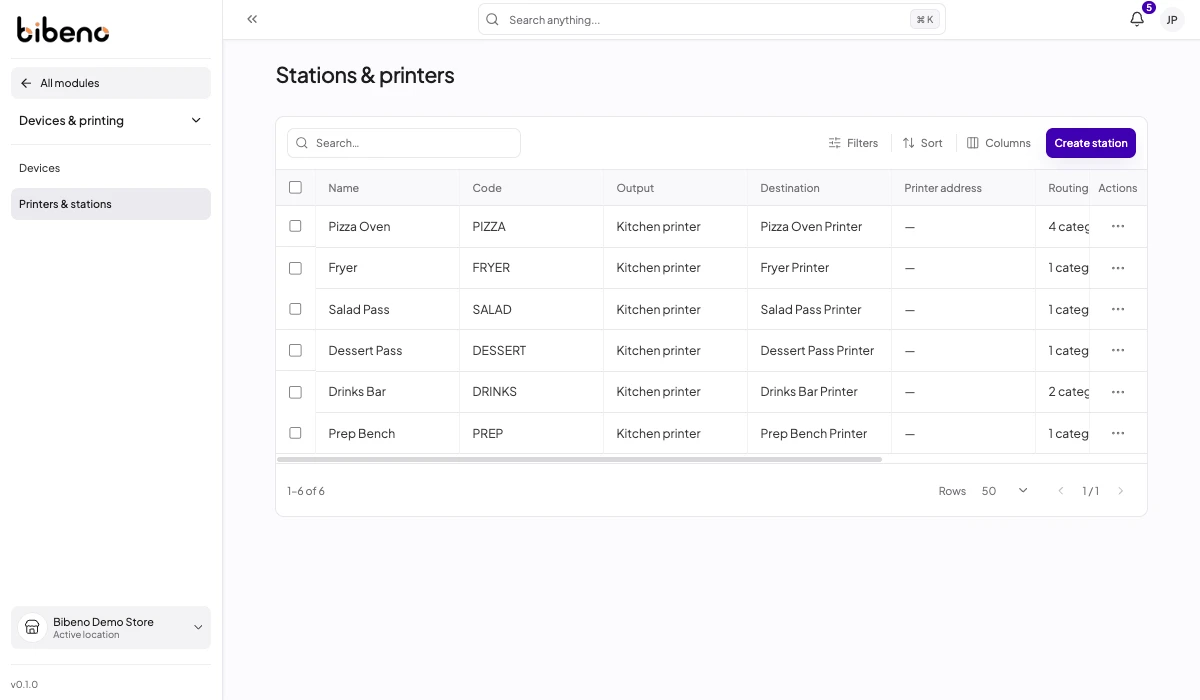
Configure stations, printer routing and kitchen displays for the preparation areas in your business. Confirm supported devices during setup.
Inside Kitchen & recipes
Give every order a destination.
Connect preparation stations to the right output and routing configuration.
Keep it connected

